
Basic guide to buying a computer - step 2 |
|
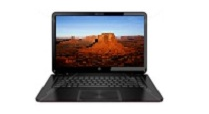 | If your budget permits buy above the minimum specs, we wouldn't recommend anything less than 4 GB Memory, 500 GB Hard Drive space. Consider the intel core i series, core i3, core i5 and core i7. Buying something slightly above your specification is always a better choice. |
| Monitor Look at your options before you decide to go out to process a monitor, decide what size monitor you need and what features you want. Do you need a large screen; do you have enough space on your desk for a large screen? Big screens are great for people who intent to watch lot of movies, graphic use or play lot games. Check the resolution before you buy the monitor. A screen with 1024x768 resolution means it can display 1024 pixels across the width and 768 pixels from the top to bottom, which is reasonably fine for low resolution videos and web viewing. |
| Optical (CD/DVD) drive First you need to decide do you want a CD-ROM drive, DVD drive, CD-RW drive, Blu-ray drive etc. If your budget permits get yourself a DVD drive instead of CD-ROM drive. A CD-ROM can only read CD formats were as DVD can read both CD-ROM formats and DVD. |
| Keyboard If you don't fancy the complimentary keyboard that comes with the system or your bundle deal doesn't come with a keyboard. Determine what type of keyboard you want, if you watch a lot of DVDs, you might want volume control, DVD Functions, short-cut keys and other extra buttons? On the other hand if you want something flexible and want to keep your system cable to the minimum you should consider a wireless keyboard. |

 |  |
 |
 |
 |
All rights received